Current page
[Special Project ③] How to do live streaming? What are the specific examples of streaming equipment and budget that beginners should know?
Research
The outbreak of the novel coronavirus has led to live streaming of not only entertainment content like music concerts, theater, comedy, and fan meetings but also various content that was previously held in real life, such as corporate online seminars and fitness classes.
Recently, hybrid events that hold events both online and in person along with live streaming have also become more common.
However, many people might still be unsure about the equipment they need to prepare to start live streaming and the budget required for those preparations. Therefore, we interviewed Chizuko Morishita, the representative director of the shooting equipment specialty store "Pro Equipment.com", which handles a wide variety of equipment for video production professionals and live streaming.
In this third installment, we asked about tips for beginners selecting streaming equipment, common pitfalls when dealing with cables, and examples of setups for live streaming from home or a studio.
Tips for Beginners Selecting Live Streaming Equipment
Do you have any tips for beginners selecting live streaming equipment?
It's essential to prepare streaming equipment as a complete system. For instance, if you buy a camera, a microphone, and a video mixer separately without considering their compatibility and connection, you might find that the microphone doesn't work with that system. Streaming equipment should be viewed as a total system where each device connects. Therefore, it's important to think about compatibility and connectivity when selecting equipment, including the cables that connect them, or you might end up making mistakes.
To be honest, if you are just streaming from a smartphone, buying a microphone for smartphones is perfectly fine. However, if you later decide to stream from a camera, you will find that the microphone is designed for smartphone use and won't work with other equipment. You'll then need to prepare a new system for the camera setup. Therefore, I think it's best for beginners to consult someone knowledgeable or get help in coordinating.
In that case, it seems like consulting Pro Equipment.com would be a good idea.
Yes, we first listen to what kind of streaming you want to do and your budget, and then coordinate equipment that fits those needs. Additionally, we can also propose potential options on our end, so if you are uncertain about choosing equipment, we welcome you to reach out.
I think beginners might find it challenging to imagine the cabling around audio equipment. What kind of cabling is necessary for live streaming?
Simply plugging a regular camera (not including webcams) into a computer via cable will not allow you to stream. You need to either use a video capture device to convert the signal to USB or send the encoded video signal via an encoder to a streaming platform like YouTube. It's possible to encode using not only hardware encoders but also software encoders on a PC.
Many people who have never streamed before often connect a camera to the HDMI port on their PC, thinking they can stream that way; however, that port outputs video to an HDMI monitor, not for input. Common issues occur when cables are physically plugged in but the video doesn't show or there’s no sound. These issues arise when the corresponding signal standards of the devices do not match.
If the quality of the cable itself is low, the video and audio quality will also drop. It's important to use good quality cables. Additionally, in the case of HDMI cables, if they are too long, the video can degrade, so I think keeping the length under 5 meters is ideal. Recently, although they are a bit pricey, there are HDMI cables that use fiber optics, which can extend the distance significantly.
By the way, what methods are available for a single performer to stream live on their own?
Even while using multiple cameras, there are often cases where the performer switches the feed themselves. For example, using a control app on a tablet or an external controller can make switching angles easier. If you need to focus on speaking and cannot press the controller buttons, or if you are playing music and your hands are busy, automatic switching methods can be employed, which switch angles every few seconds based on pre-set intervals.
What specific equipment should one prepare for a live streaming setup at home alone?
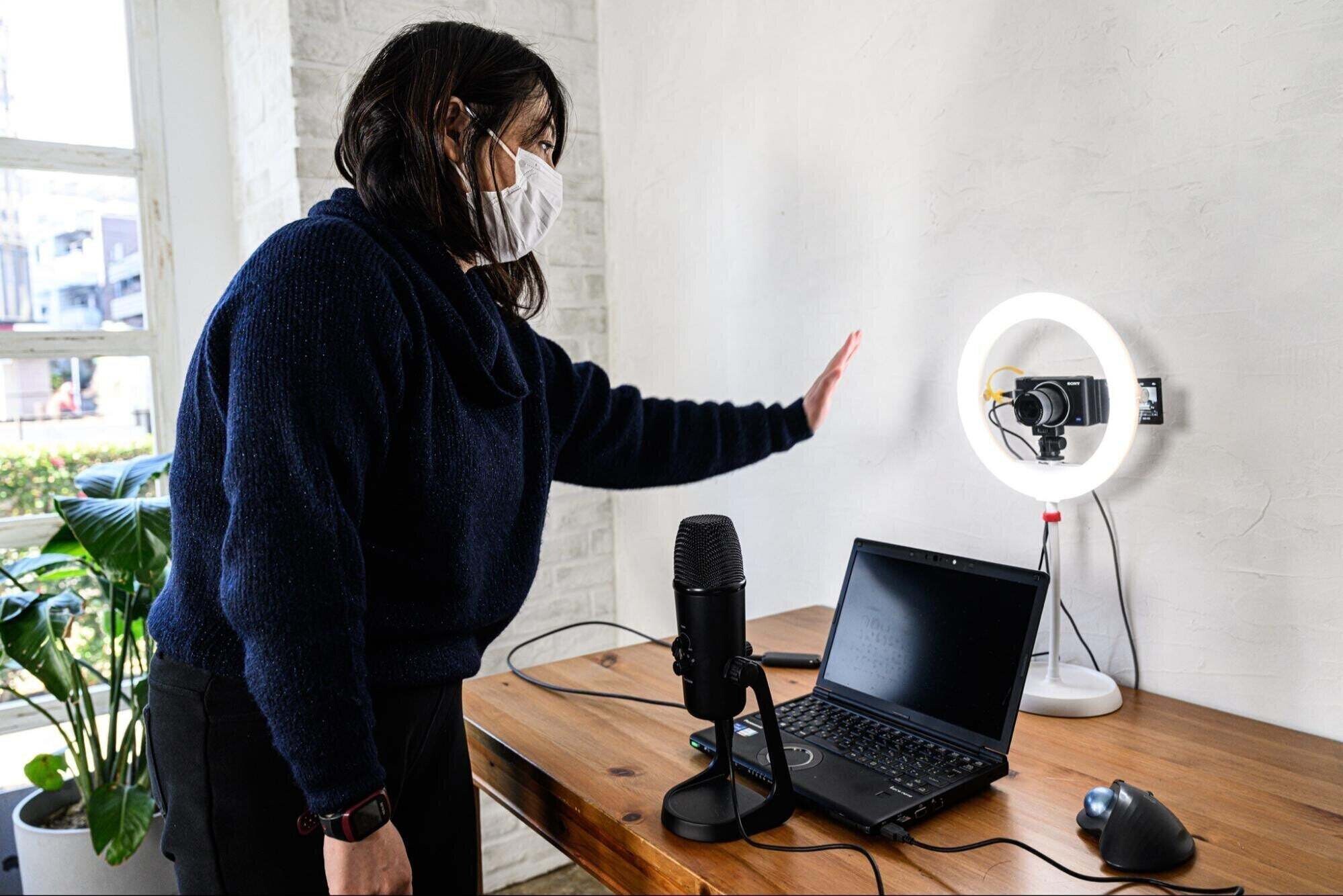
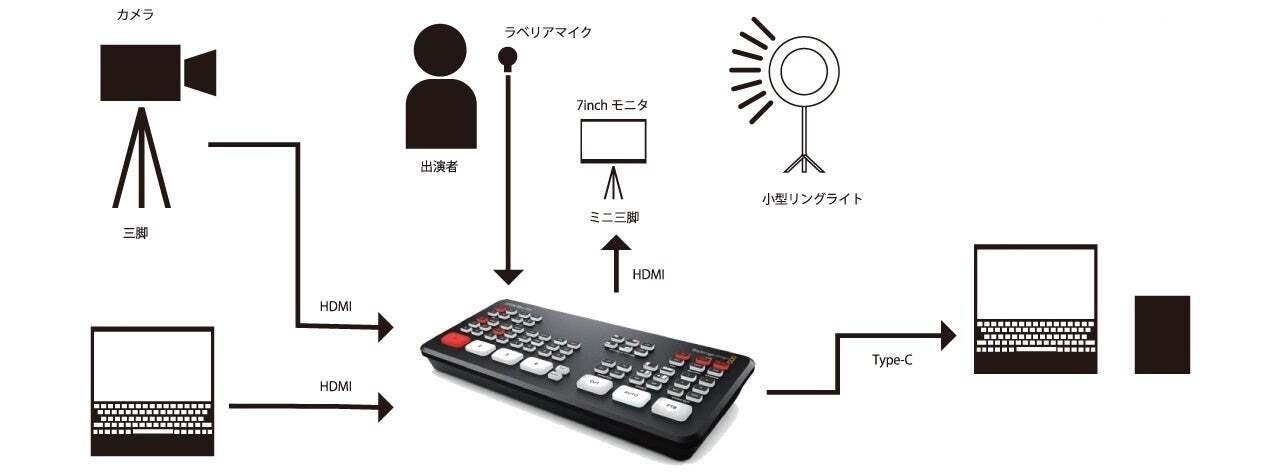
In that case, you would need a PC, one camera, a microphone, basic lighting like a ring light, a USB video capture device, and the necessary cables to connect each device. Also, having a power multi-tap for this minimal setup is crucial. For example, if you start with this basic setup and later want to add a switcher or more cameras or increase the number of lights, having a multi-tap with around ten sockets is reassuring. Streaming often requires more power outlets than you might expect.
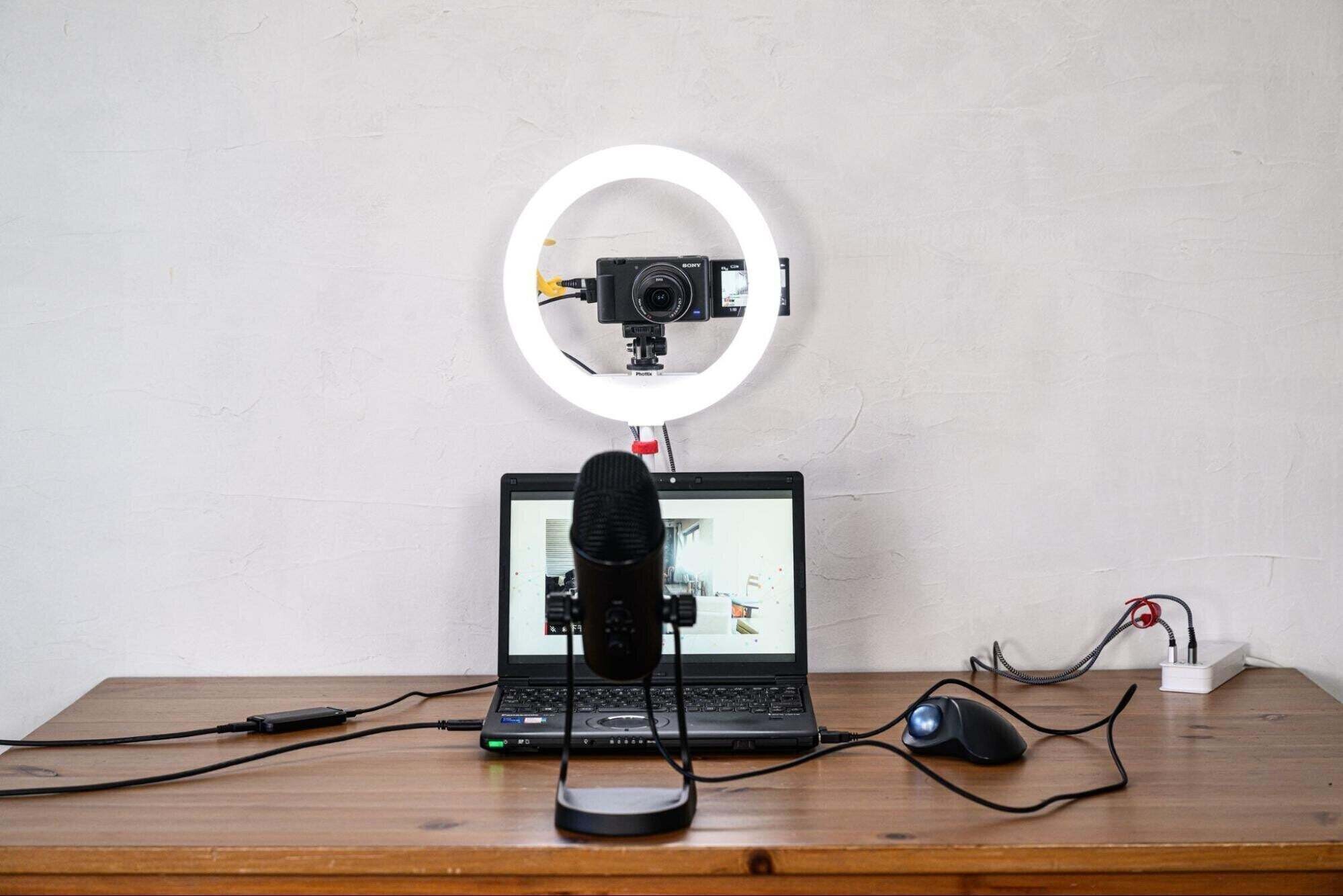
For the microphone, initially, a headset microphone or an earphone microphone will suffice, but if you want better sound quality, a USB-connected condenser microphone is also a good option. It’s convenient to have a microphone that can adjust its directionality for multiple speakers.
However, if you are using this setup at a desk you usually work at, keep in mind that the angle of your line of sight will fall when looking at your PC screen, so using something that can elevate your computer, like a laptop stand, to align the screen with your eye level is a good tip for streaming.
What equipment is required for live streaming from a rental studio scale?
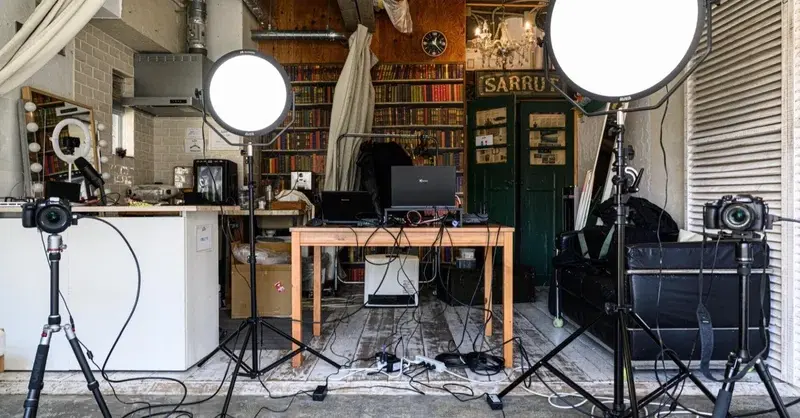
The basics are similar to home streaming, but if you want to increase angles, use a video mixer or switcher. It’s also a good idea to have a monitor for confirmation.
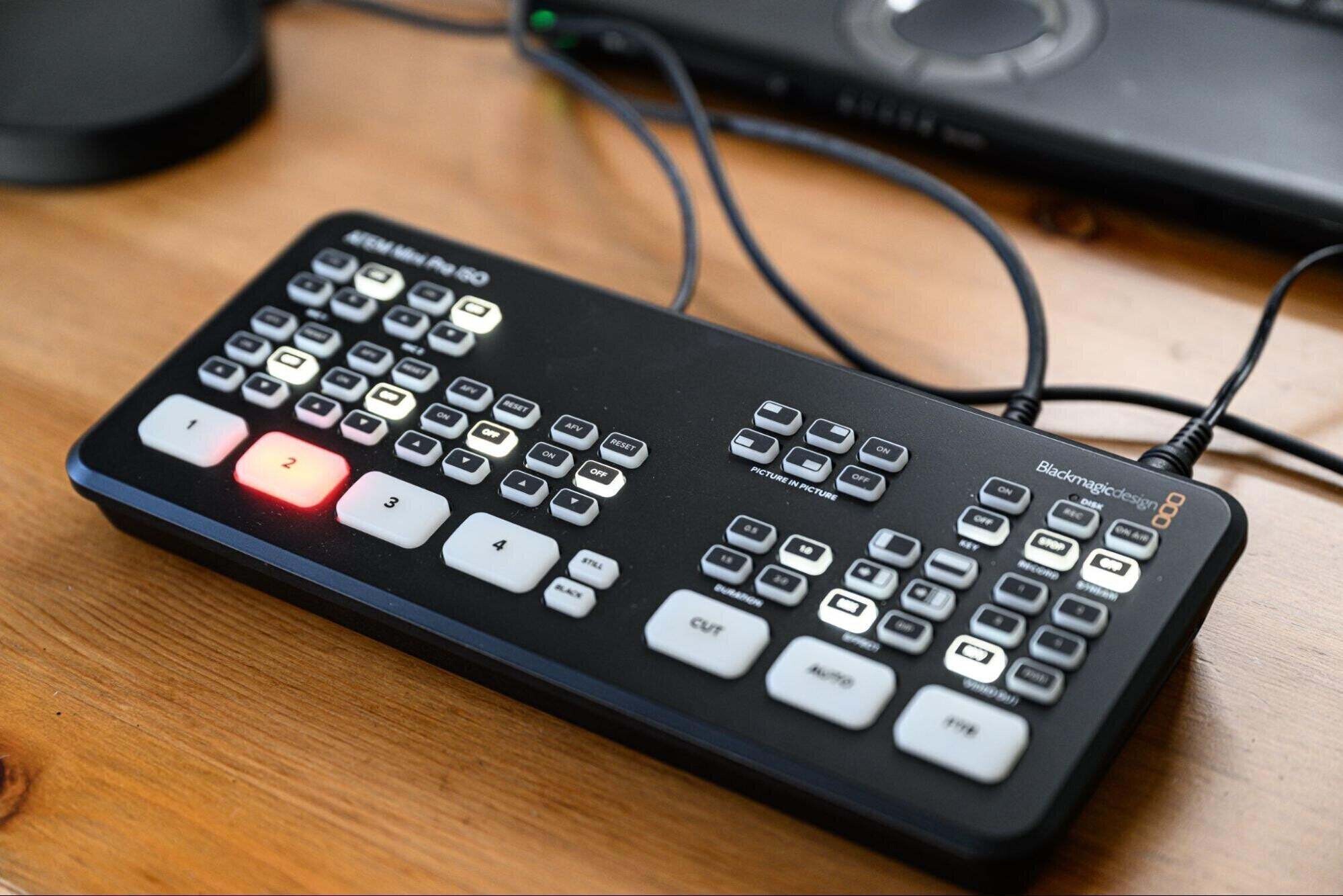
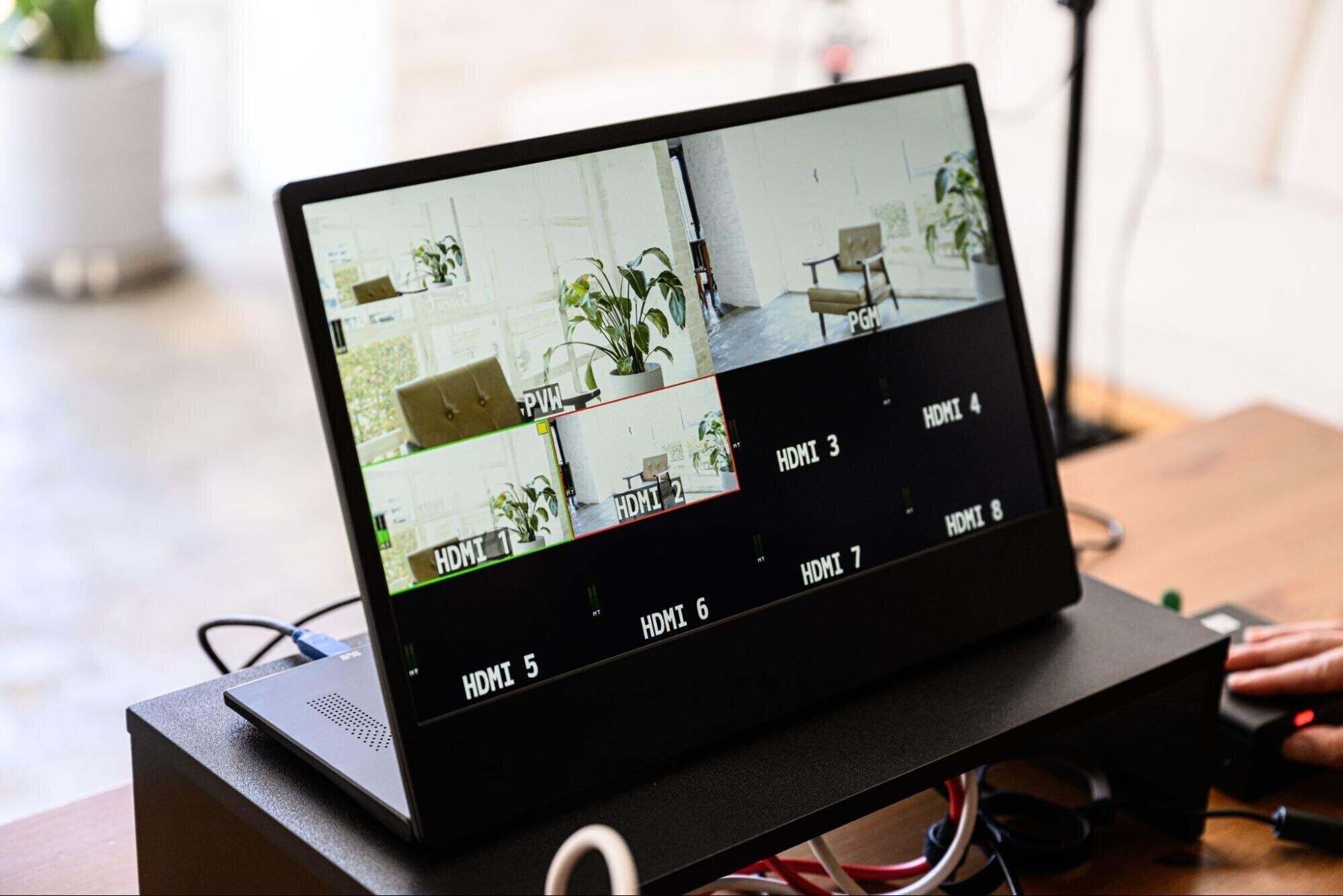
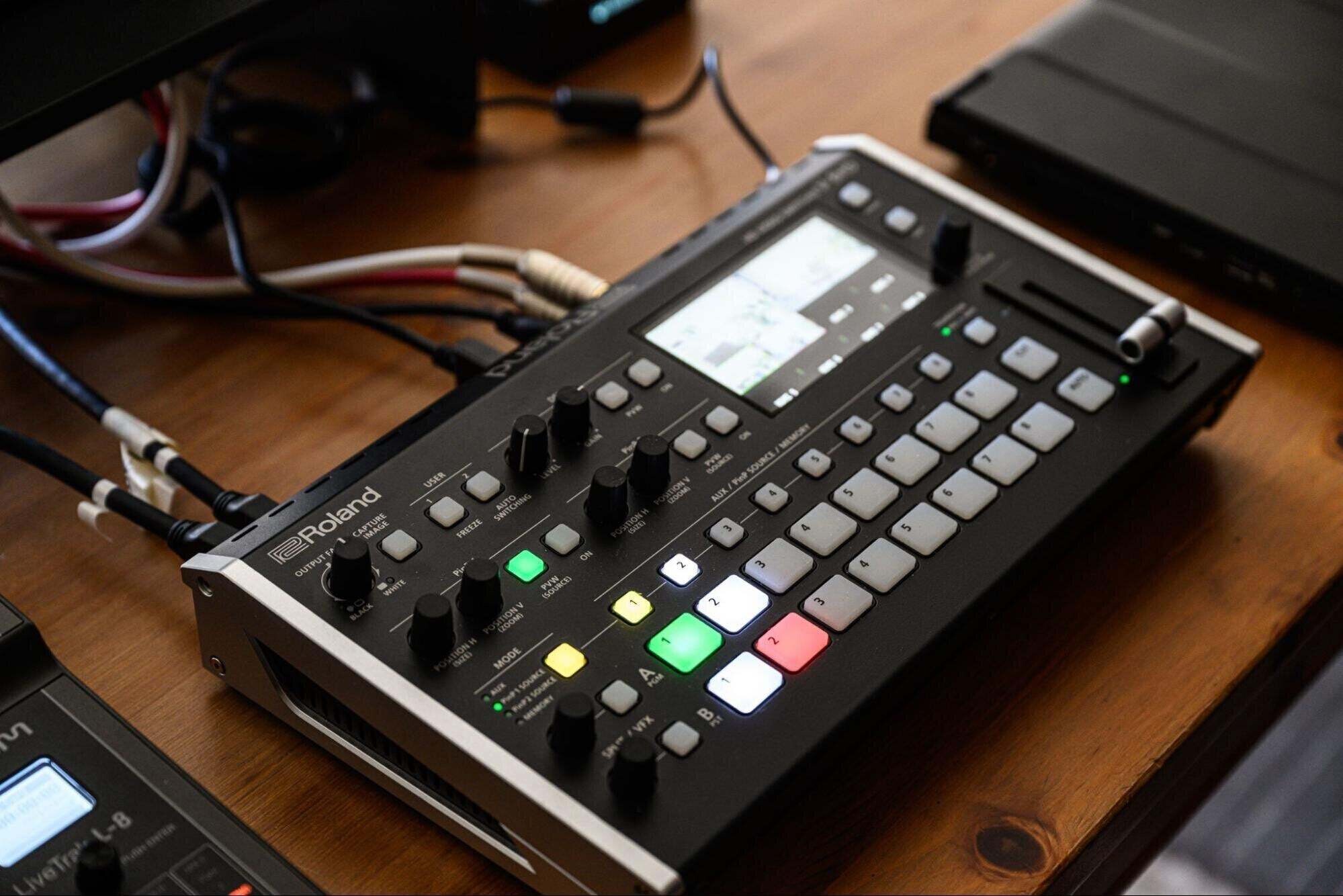
By the way, this switcher comes with a USB out and can also be used as a substitute for a video capture device. Additionally, it has hardware encoder functionality, allowing you to live stream by plugging a LAN cable into the LAN connection port.
What equipment is necessary for streaming talk shows or music concerts with multiple participants?
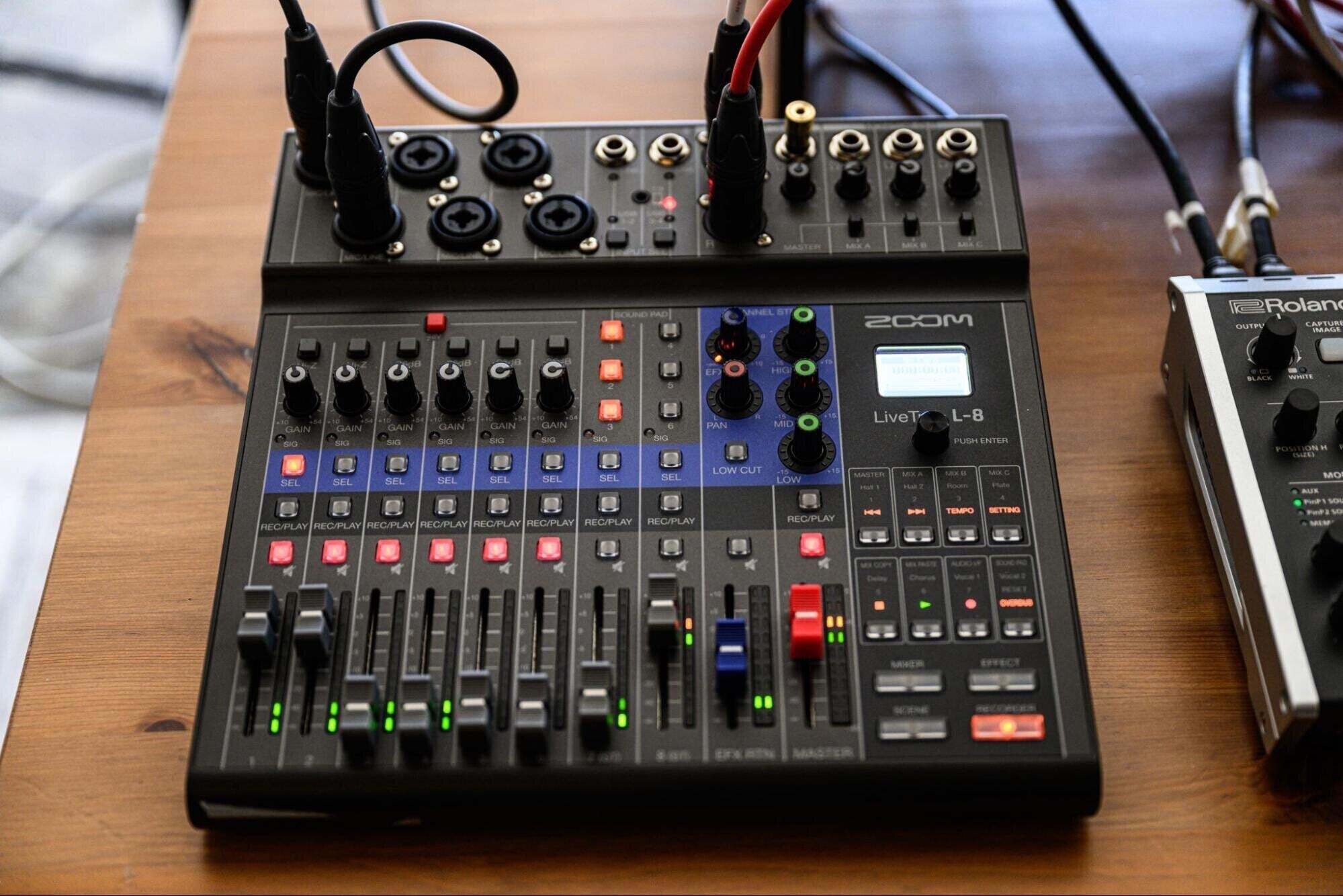
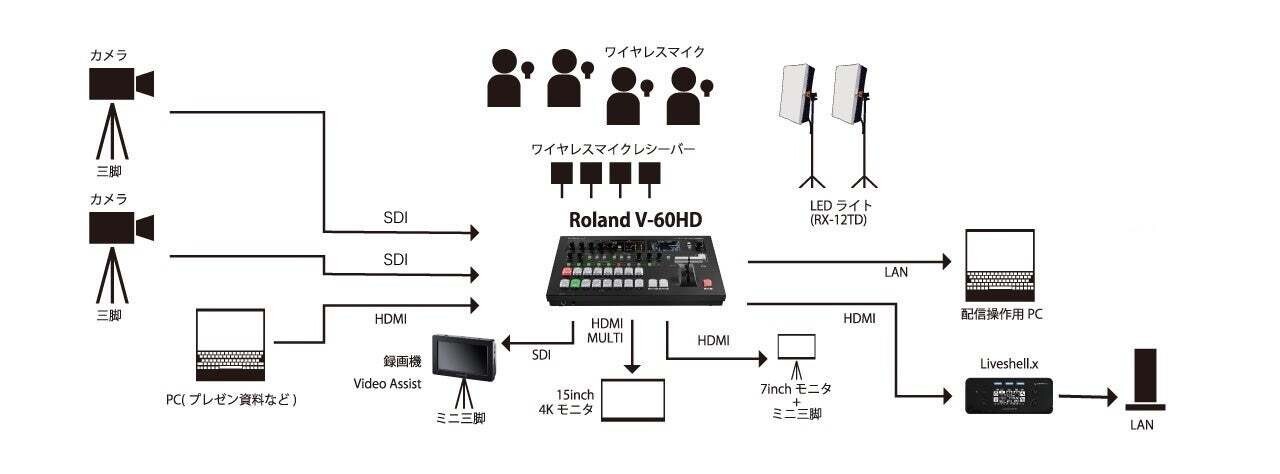
The basic setup is the same as in the rental studio, but for talk shows, you will need to have lavalier microphones prepared. Additionally, you should also have audio interfaces or audio mixers for sound mixing and enhancing quality and add cameras as needed. You’ll also need to have multiple staff members instead of doing everything solo.
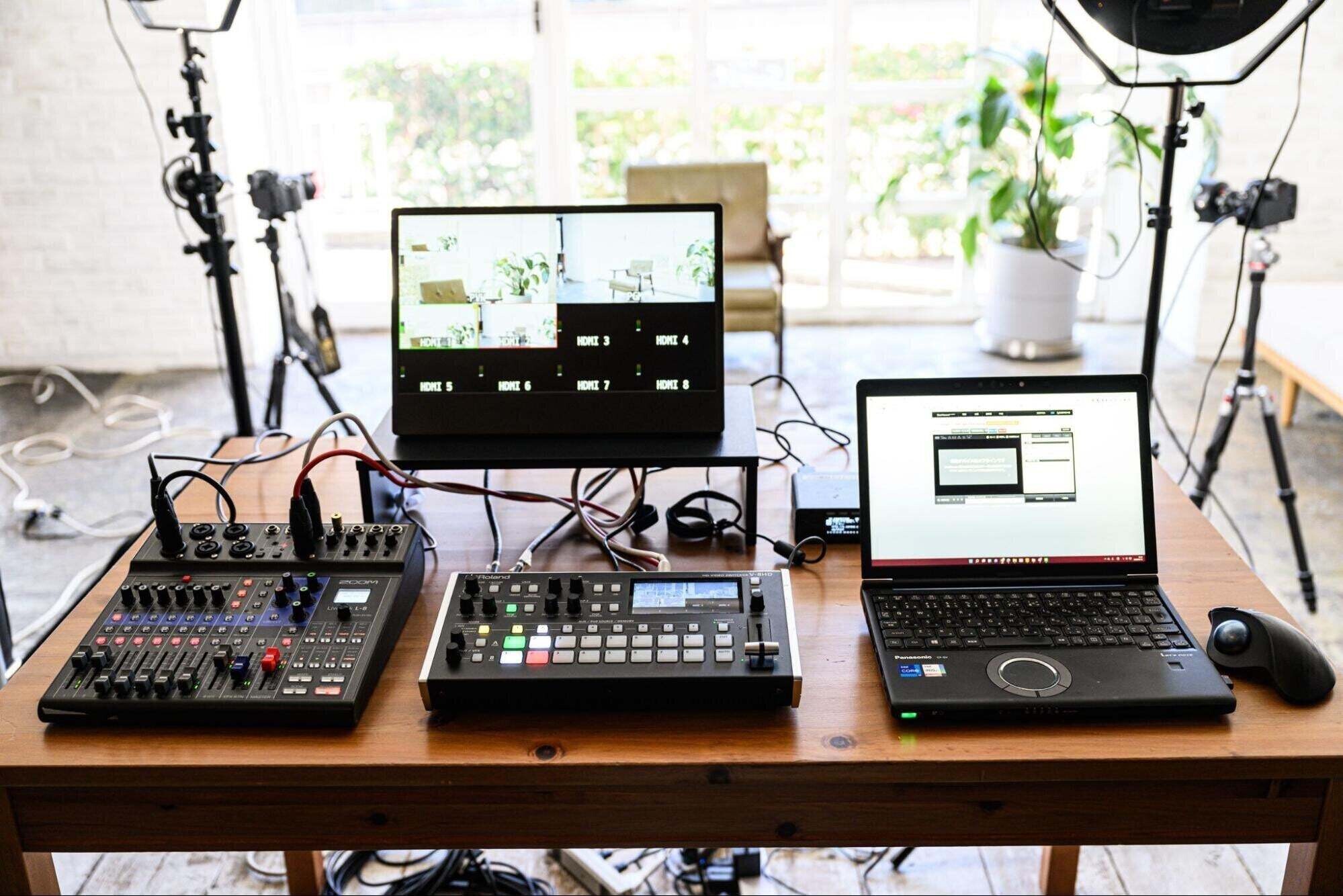
This audio mixer can also input sound from the PC it connects to via USB, making it suitable for hybrid streaming. Additionally, this video mixer can easily insert the presenter’s image into the PowerPoint slides during a seminar. You can also set up presets, allowing for one-button scene transitions.
For corporate seminars, this level of setup is the most common, and you typically need a budget of about 1 to 2 million yen prepared. If you want to stream corporate seminars for a fee, you’ll need at least this level of setup.
With this setup, you can also do green screen compositions; if you want to focus on the visual quality, you can upgrade the camera's grade or use this video mixer, which supports up to 8 inputs to add more cameras. Additionally, if doing green screen compositions, you may need to increase the lighting to around four units. Moreover, using wireless microphones costs about 70,000 yen each, so as you invest in better quality video, your budget will naturally increase.
Anyone can now start live streaming, but there are still many uncertainties about what to begin with. Thank you for your detailed explanation on live streaming equipment in this serialized format.
If you are determined to invest significantly in online streaming as a business, I think it might be good to try out grants as discussed in the second installment. Even if you start with a minimal setup, if you see potential and interest, gradually increasing your investment makes sense. I hope you enjoy streaming without aiming for perfection from the beginning.
More articles

[New Feature Release] Recreate the excitement of live streams in archives. "Chat Replay Feature" has been released
[New Feature Release] Recreate the excitement of live streams in archives. "Chat Replay Feature" has been released
ニュース

[New Feature Release] How to Use the "Coupon Feature" to Boost Event Attendance
[New Feature Release] How to Use the "Coupon Feature" to Boost Event Attendance
ニュース

ZAIKO and AppBank Inc. Begin Collaboration to Maximize Event Value by Leveraging Corporate Networks
ZAIKO and AppBank Inc. Begin Collaboration to Maximize Event Value by Leveraging Corporate Networks
ニュース