Current page
Announcement of new email features such as scheduled sending!
Product updates
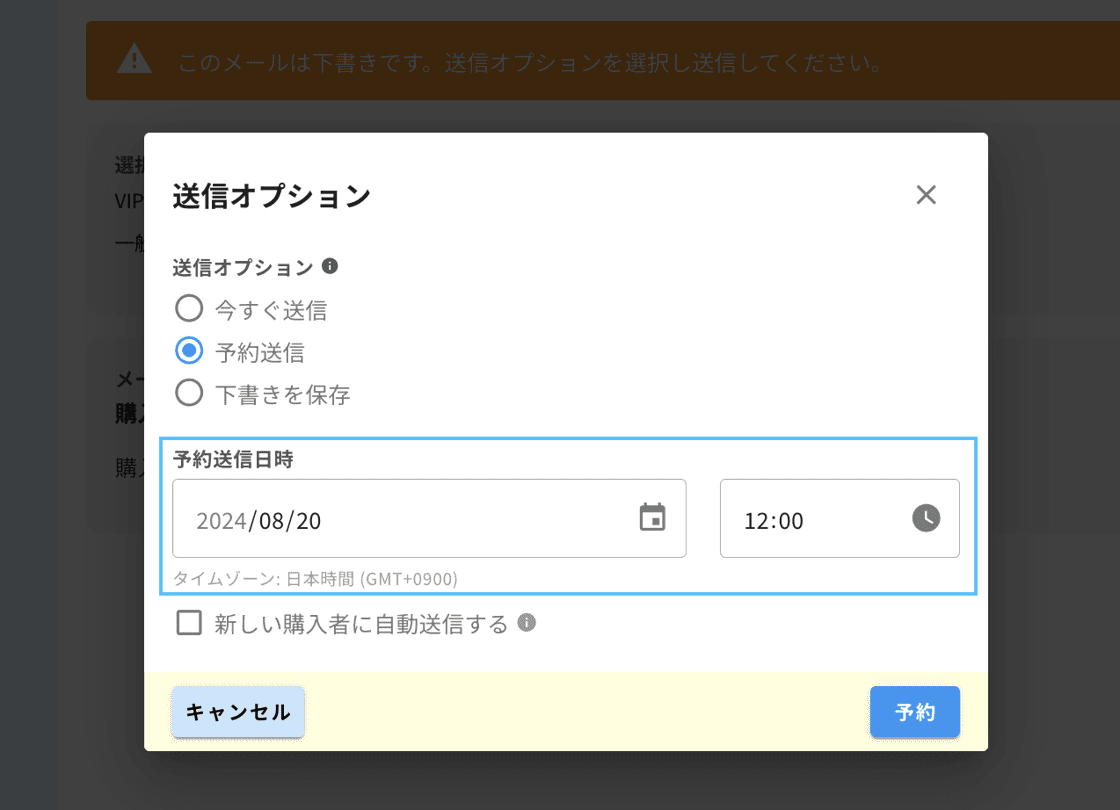
We have implemented a major update to the email system to make communication with ticket buyers more effective and to further smoothen the sending process.
Let us introduce the newly added features.
Introduction of New Features
1. Scheduled Sending Feature
You can now enjoy the freedom from manual sending and send emails on a schedule!
Emails will be sent automatically at the specified date and time, allowing for more efficient use.
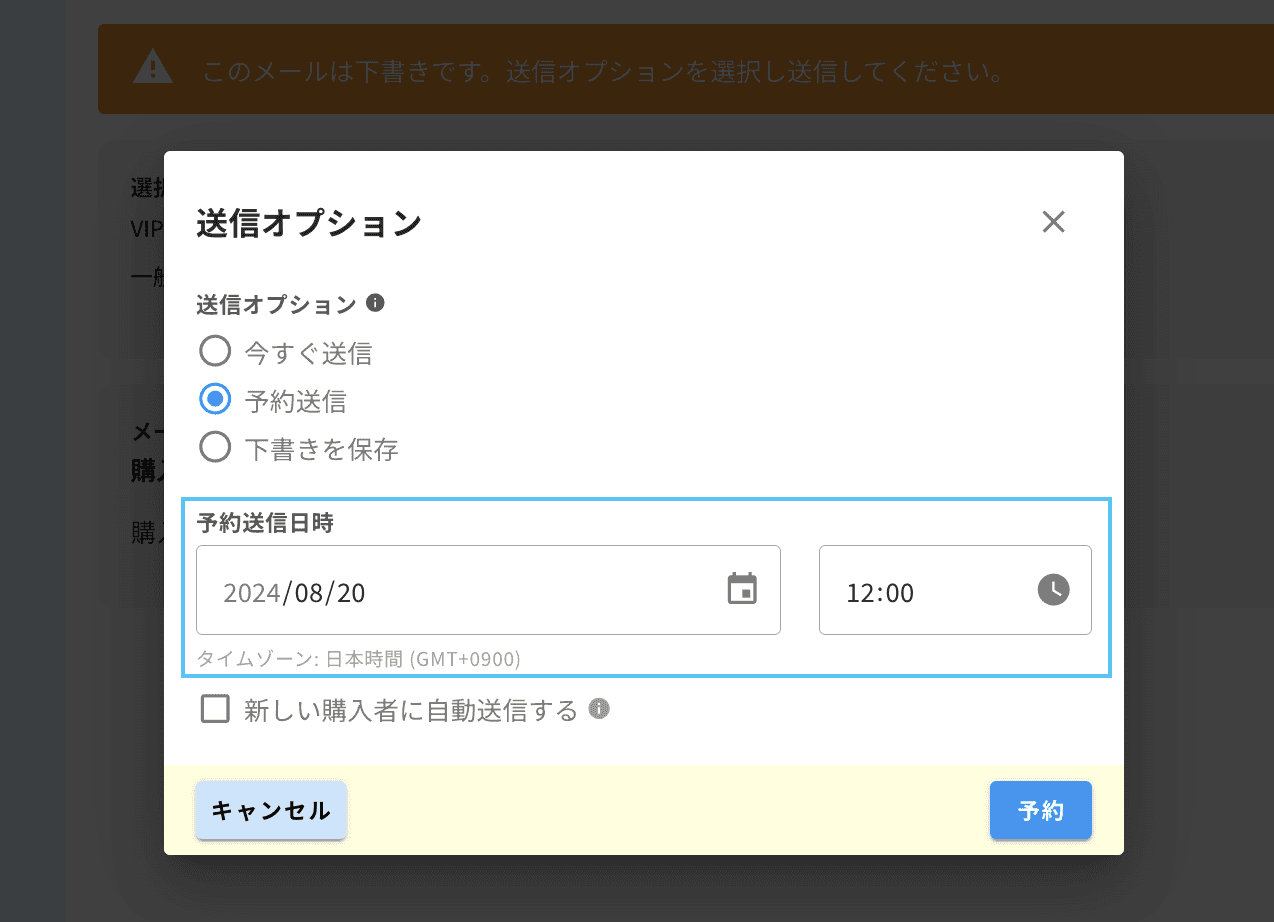
2. Automatic Sending Feature to New Buyers
You can now automatically deliver emails to new ticket buyers!
After sending the email or scheduled sending, the same email will be automatically sent to those who have purchased tickets newly.
Usage Example: By sending venue information and benefits simultaneously with the ticket sales start, customers can receive important information and benefits immediately after purchasing their tickets.
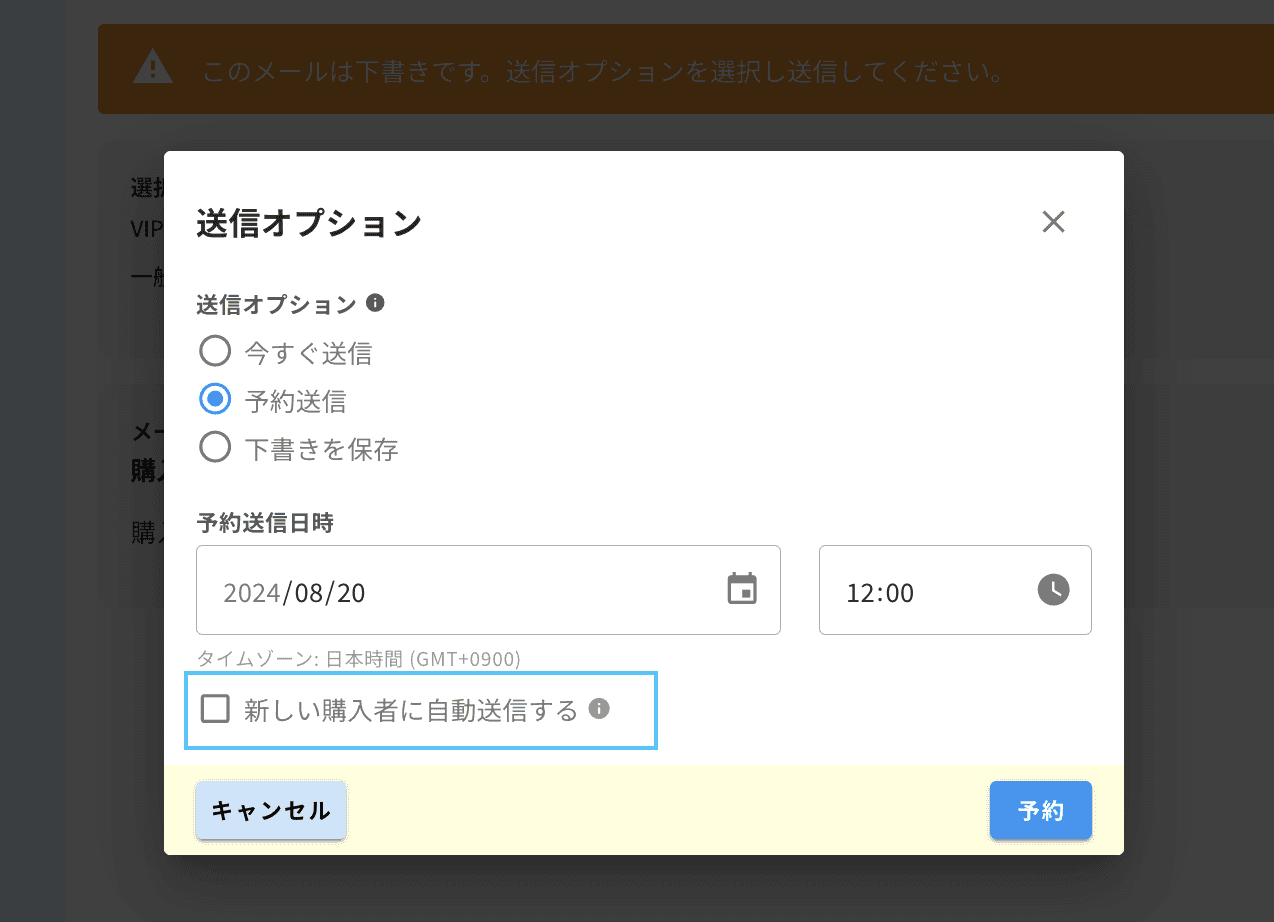
Combination Usage Examples:
Send Now + Automatically Send to New Buyers: Existing buyers will receive emails immediately after sending, while new buyers after the sending will receive emails right after their purchase.
Scheduled Sending + Automatically Send to New Buyers: Users who purchased tickets before the scheduled sending time will receive emails at the set sending time. New ticket buyers after sending will receive emails immediately after their purchase.
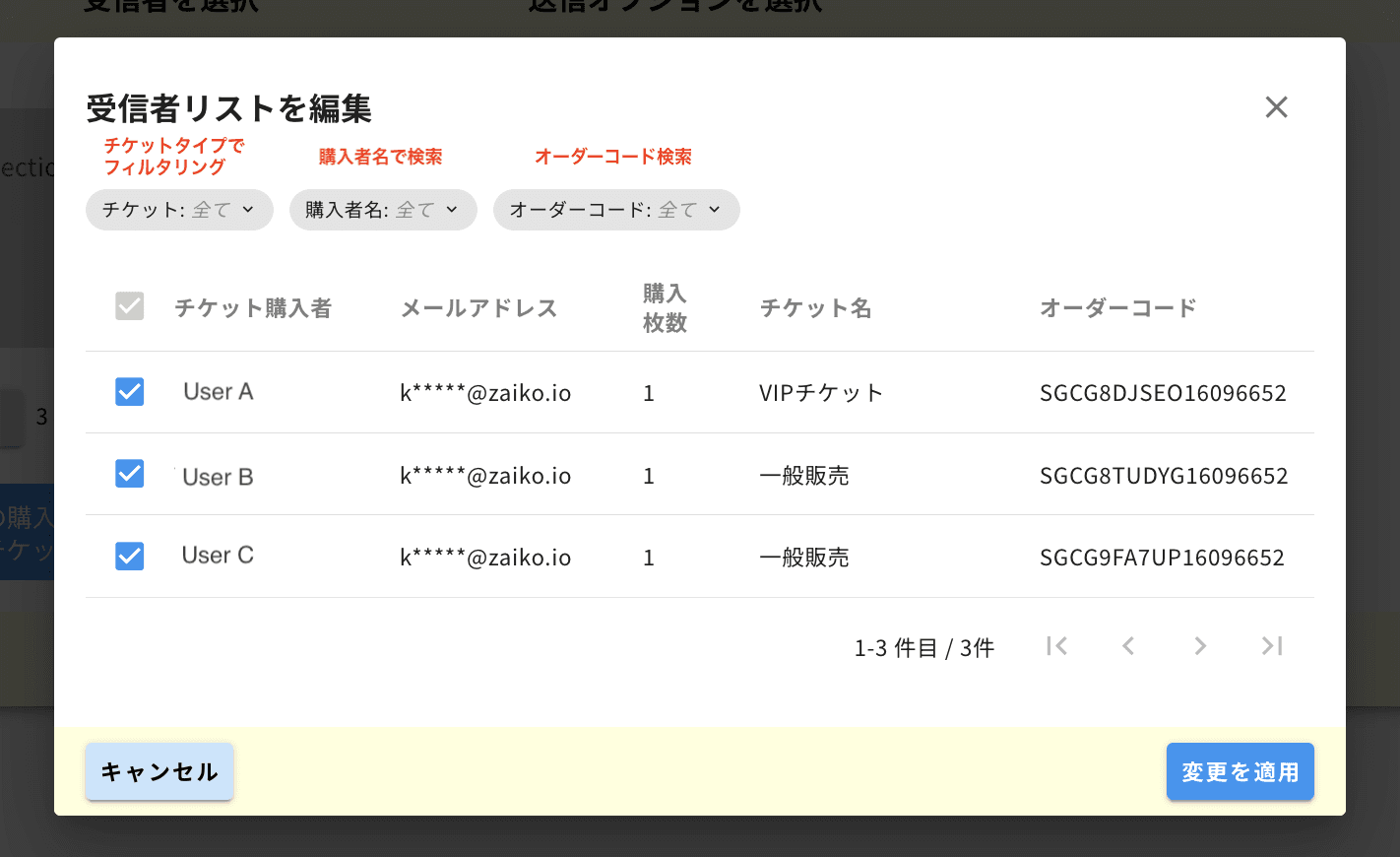
3. Enhanced Recipient Selection Functionality
The recipient selection has evolved to be more powerful and flexible!
In addition to the ability to check recipient details before sending the email as before, several new functionalities have been added.
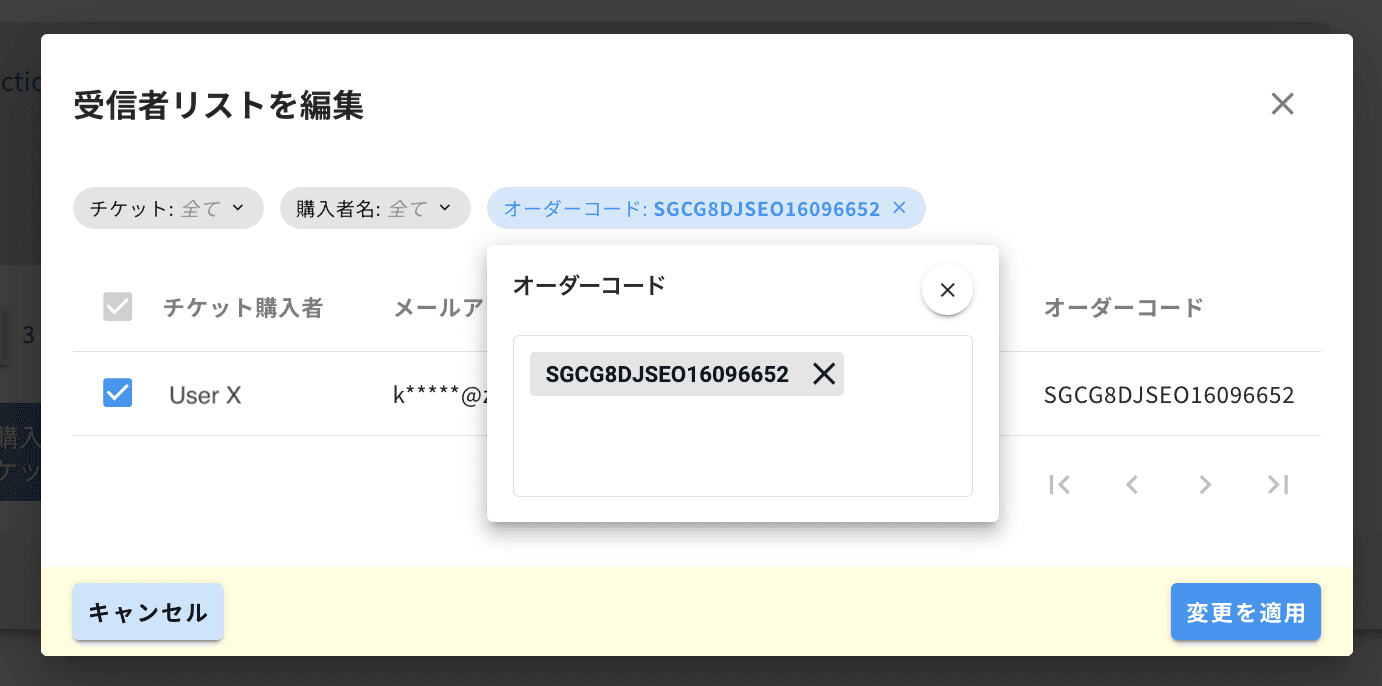
Filtering: Recipients can be filtered by ticket type.
Search for Specific Users: You can easily exclude specific users from the sending list by searching with the buyer's name or order code.
Bulk Search: You can copy & paste multiple order codes from a text file to quickly search and select multiple users at once.
4. Email Duplication Feature
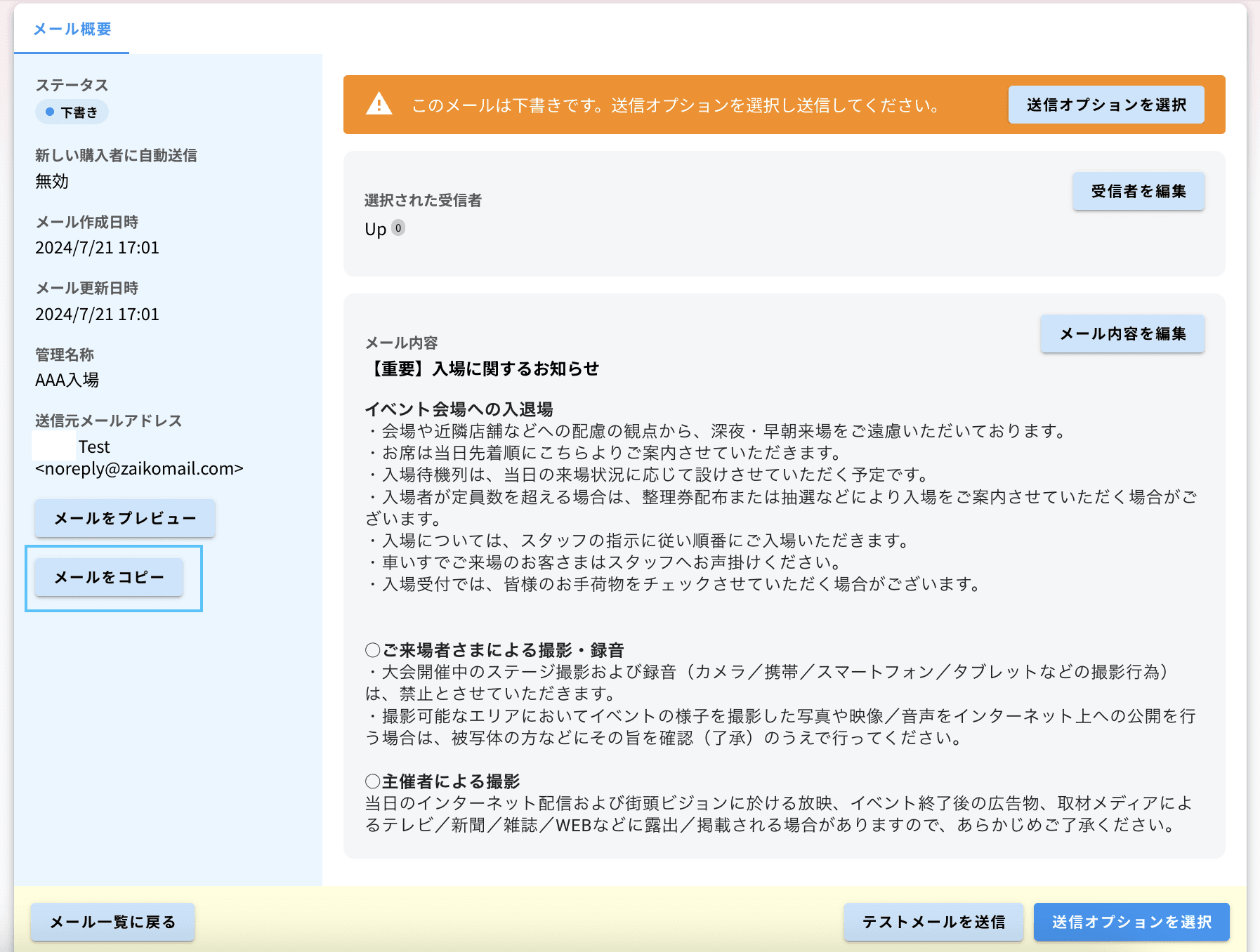
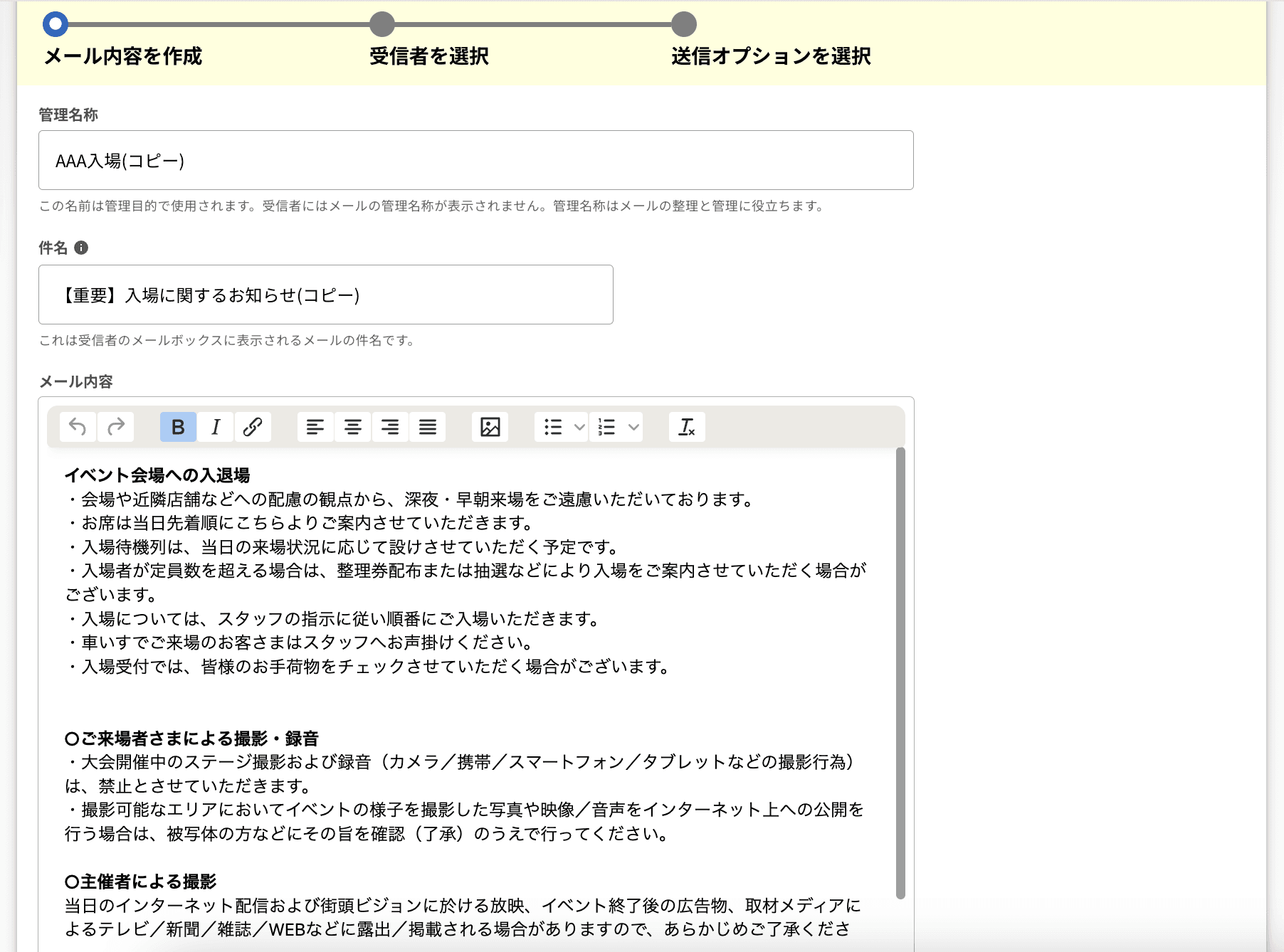
A duplication feature has arrived to save you time! You can easily duplicate emails within the same event.
The subject, content, and images of the emails can be duplicated with one click.
5. Test Sending Feature
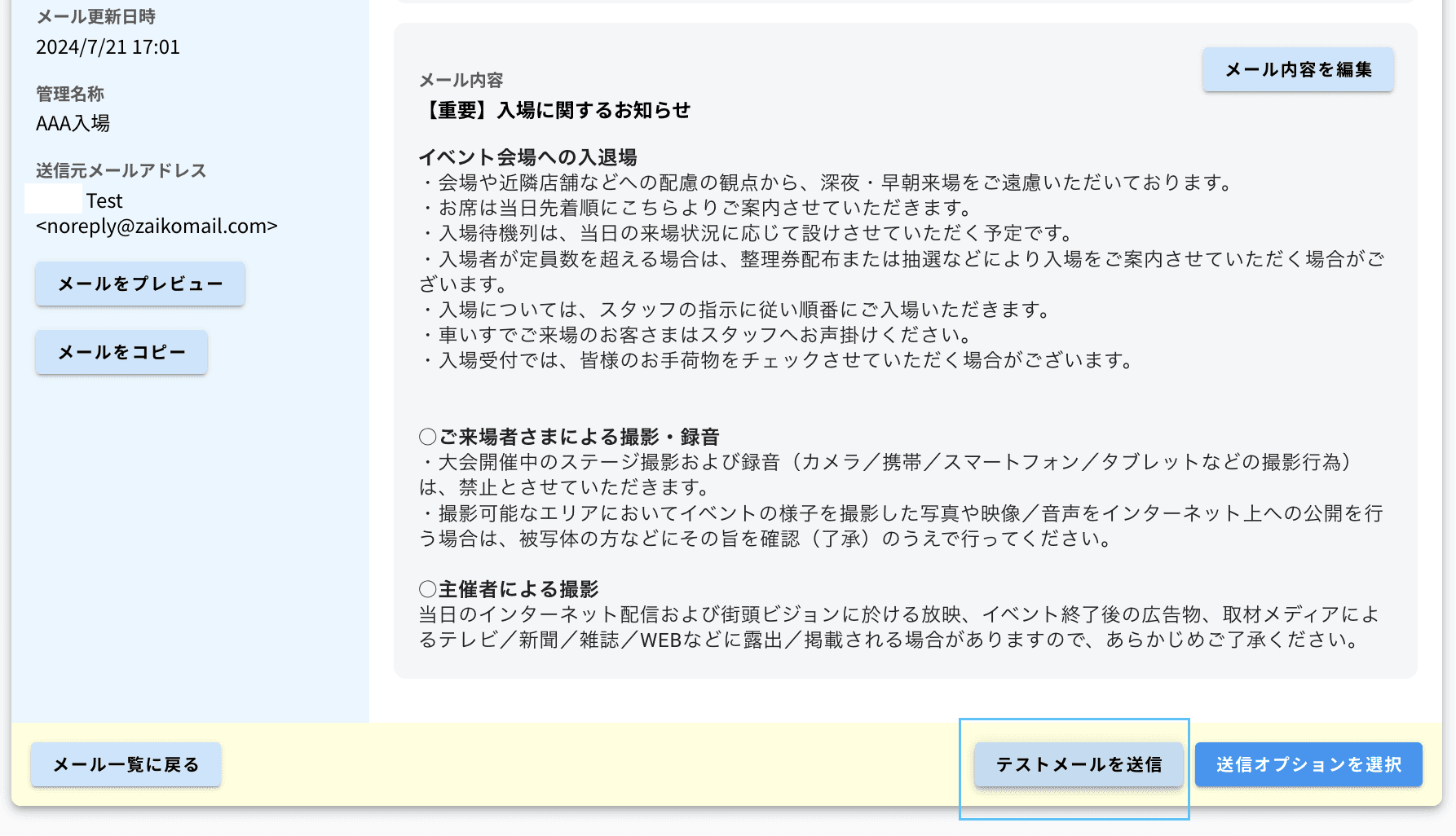
Before sending to actual buyers, you can send a test email to check what the email will look like when received!
Test emails can be sent to up to 10 profile managers.
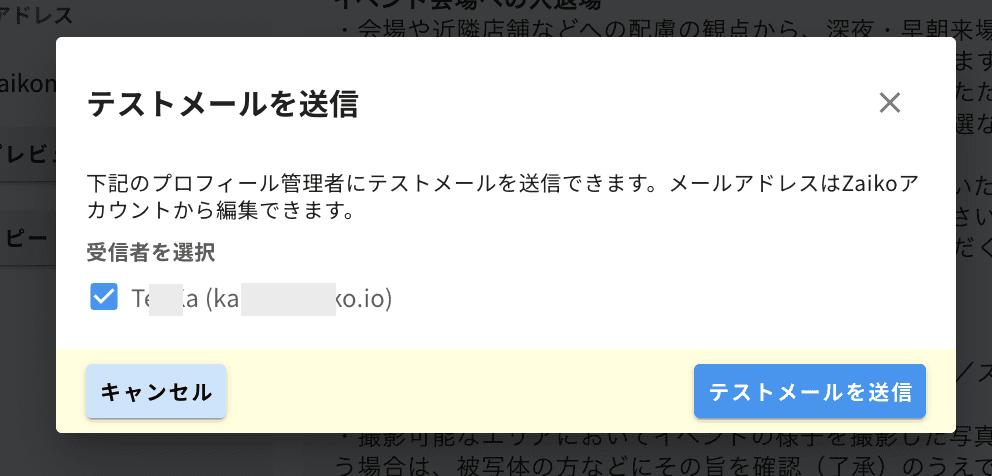
6. Significant UI Upgrade
The user interface of the email system has been significantly updated to be more user-friendly and intuitive. Enjoy a smoother setup experience with the new design.
We hope these new features enhance your experience and make communication with ticket buyers more effective. Please make sure to take advantage of the new features of the email system.
If you have any inquiries or feedback regarding the features, please contact us at
ZAIKO Product Team: product@zaiko.io
More articles

案外簡単!ZAIKOで海外向けのチケット販売を設定するには?
案外簡単!ZAIKOで海外向けのチケット販売を設定するには?
ニュース
合同ライブ『8社対抗ネタバトル「バチ×バチ」』1st round&全3回通し券、2026年10月1日(木)20:00よりZAIKOにてチケット独占販売開始!
合同ライブ『8社対抗ネタバトル「バチ×バチ」』1st round&全3回通し券、2026年10月1日(木)20:00よりZAIKOにてチケット独占販売開始!
ニュース

What is an e-ticket? Explaining how it works, its benefits, and how to enter using a QR code | ZAIKO
What is an e-ticket? Explaining how it works, its benefits, and how to enter using a QR code | ZAIKO
ニュース